5 Smart Ways to Avoid APK File Fraud and Keep Your Android Safe

APK files are a normal part of the Android ecosystem, but the same file format can also be misused to distribute fake, modified or malicious applications. The important point is that an APK file is not automatically dangerous simply because it ends in .apk. The real concern is where the file came from, who created the application, what it asks you to access and why you are being asked to install it.
This has become particularly important because APK files can be used as part of scams that begin with an unexpected message, phone call, social media post or download link. A person may be told that an urgent KYC update is required, a delivery needs attention, a challan must be checked or some other immediate action is necessary. Instead of directing the user to an official service, the message may encourage them to download an APK and install it on their phone.
Once an unfamiliar application is installed, the situation can become more serious if it requests access to SMS messages, contacts, files, the microphone, location or other sensitive parts of the device. In some fraud scenarios, the goal may be to obtain personal information, intercept sensitive messages or convince the victim to provide banking or payment details.
That does not mean every APK should be treated as dangerous. There are legitimate reasons for distributing Android applications outside the usual app-store experience, and an APK is simply an Android application package. The safer habit is to understand where the APK came from, what it contains, who is behind it and what the application wants to access before deciding whether to install it.
This guide explains five practical ways to avoid APK file fraud, how APK-based scams commonly work, why legitimate APK files exist, what Android security features can do, and what steps you can consider if you have already installed an APK that now seems suspicious.
The goal is not to create fear around APK files. It is to help you slow down at the right moment, recognise warning signs and make a better decision before an unfamiliar application gets access to your phone or personal information.
Why APK File Fraud Deserves More Attention
APK-based fraud can be effective because it often begins with something that looks familiar and trustworthy: a phone call, WhatsApp message, SMS, email or a link that appears to come from a known organisation. The APK itself may not look suspicious when you first see it. The greater concern is often the story surrounding the file — why you are being asked to download it, how urgently you are being told to act and what the application asks you to do after installation.
A scammer may claim that an APK is required to complete KYC, verify an account, track a delivery, view a document, receive a benefit or resolve a supposed problem. These explanations are designed to make the installation feel necessary, so the user focuses on completing the task instead of questioning whether the application is genuine.
A familiar company name or professional-looking message does not prove that the APK was actually provided by that organisation. The same .apk format can be used for legitimate applications as well as malicious or deceptive software.
At the same time, an APK file is not automatically dangerous. APK is a legitimate Android application package format. The important question is whether you can trust the particular application, its source, its purpose and the circumstances in which you received it.
That is why APK File Fraud deserves attention. The safest approach is not to fear every APK, but to pause before installing an unfamiliar one and verify where it came from, who is behind it and why you are being asked to install it.
How a Simple APK Link Can Become a Serious Problem
Many APK-related scams follow a simple pattern. The user first receives a message, call or link that gives the installation a believable reason. Instead of openly presenting the APK as suspicious software, the sender connects it to something the user may already care about, such as an account, payment, delivery, KYC process or another urgent task.
The next step is usually to move the user away from the normal way of accessing that service. The sender may say that the official application is unavailable, that an update is required, or that a separate application must be installed to complete the process.
Once the APK is downloaded and installed, the situation can change. The application may request permissions, ask the user to sign in, request sensitive information or direct the user towards a payment or another action. At that point, what appeared to be a simple download can become part of a wider privacy, security or financial risk.
This is why the decision made before installation matters so much. If the reason for installing the APK came from an unexpected message or caller, verify the request independently before opening the file or changing any security setting.
A rule of thumb is simple: if you did not independently choose the application, do not let the person who sent it decide whether you should trust it.
What Exactly Is an APK File?
APK stands for Android Package. In simple terms, an APK is a package file used to install an Android application on a compatible device. It contains the components required for the application to be installed and run, including application code, configuration information, resources and other supporting files.
You may come across an APK when an application is distributed outside the usual Google Play installation process, during software testing, or when a developer provides an application package directly. The .apk extension simply identifies the type of package; it does not by itself tell you whether the application is trustworthy or harmful.
APK and an Android App — Are They the Same Thing?
For an everyday Android user, it is useful to think of the app as the software you use and the APK as the package used to deliver or install that software.
Once the package has been installed, you normally interact with the application rather than the APK file itself. The distinction becomes important when someone sends you an APK directly because you are being asked to trust the source of a software package rather than simply choosing an application through a familiar installation route.

What Can an APK Contain?
An APK can contain several components needed for an Android application to function. These may include:
- Application code — the instructions that make the app perform its functions.
- Manifest information — details Android uses to understand the application and its components.
- Resources — items such as images, layouts, text and other files used by the application.
- Native libraries — additional compiled components that may be required by some applications.
- Signing information — information associated with the application's digital signing and package identity.
Understanding these components does not require technical expertise. The important point is that an APK is a software package, not a safety certificate. The same file format can be used for legitimate applications as well as applications that are malicious, modified or deceptive.
Why the .apk Extension Does Not Prove Safety
A file ending in .apk does not prove that it came from the company or developer it claims to represent. A filename, app name or familiar-looking icon can be changed or copied, so these details should never be treated as proof of authenticity.
An unfamiliar APK is also not automatically malicious. There are legitimate reasons for Android applications to be distributed directly. The more useful approach is to consider the source, developer, purpose and circumstances together.
A Familiar Name Can Still Be Misleading
Scammers can use names that resemble legitimate applications or services. A small spelling difference, an unfamiliar developer or an application that cannot be connected to the organisation it claims to represent should make you pause.
If someone sends you an APK claiming to belong to a financial service or another important organisation, do not rely only on its name or logo. Check the organisation's official website independently and see whether the application and its installation method are actually mentioned there.
Look at the Complete Situation
An APK that you deliberately obtained for a legitimate reason is different from one that arrives unexpectedly with instructions to install it immediately. The situation deserves even more attention when the sender also asks you to disable a security feature, provide sensitive information or make a payment.
The important question is therefore not simply “Is this an APK?” but “Do I have enough reason to trust this particular application?”
Before installing it, establish where it came from, who is behind it and why you are being asked to use it. If those details cannot be independently verified, there is no reason to rush.
Are All APK Files Dangerous?
No. An APK file is not automatically dangerous simply because it is installed manually or obtained outside Google Play. APK is a legitimate Android application package format, and there are legitimate situations where developers, testers or organisations may distribute applications directly.
The important question is not whether a file has the .apk extension. It is whether the particular application is legitimate, where the package came from, who developed it and whether the installation makes sense for the situation.
When the Risk Becomes More Concerning
The situation deserves more attention when an APK arrives unexpectedly or is connected to a suspicious request.
Be cautious when someone:
- sends an APK you did not ask for;
- creates urgency around installing it;
- claims that you must install it to resolve a financial, KYC or account issue;
- asks you to disable a security setting;
- requests permissions that do not seem necessary; or
- asks for passwords, OTPs, payment details or identity information after installation.
None of these signs alone proves that an APK is malicious. However, when several appear together, they are a strong reason to stop and independently verify the application.
The Right Way to Think About APK Safety
The useful question is not “Is this an APK?” but “Do I have enough reason to trust this particular application?”
Look at the source, developer, purpose, permissions and circumstances together. If you cannot confidently establish where the application came from or why you are being asked to install it, there is no need to rush.
Where the Real Risk Begins
The real concern begins when an APK is used as part of a larger attempt to influence what you do on your phone. The file may be presented as a solution to a problem, a required update or a way to complete an important task, while the actual objective may be to obtain access, information or money.
This is why the circumstances surrounding the APK matter. A file that you deliberately downloaded for a legitimate purpose is very different from an APK that arrives unexpectedly with instructions to install it immediately.
Unexpected Contact Should Make You Pause
Be especially careful when an APK is introduced through an unexpected phone call, WhatsApp message, SMS, email or social-media conversation.
The sender may already know your name, phone number or some other basic information. They may use those details to make the conversation appear genuine. However, familiarity with some personal information does not prove that the person or organisation contacting you is legitimate.
If you were not already expecting an application or service, independently verify the reason for the request before downloading anything.
Urgency Can Be Part of the Pressure
Fraud attempts often become more convincing when the recipient is given very little time to think. You may be told that an account will be blocked, a payment is overdue, a KYC process will fail, a delivery cannot be completed or some other problem will become worse unless you install the application immediately.
A genuine technical issue may sometimes require action, but urgency should not replace verification. If the request is legitimate, you should normally be able to confirm it through the organisation's official website, known application or another trusted channel.
The APK May Be Only One Part of the Fraud
The application itself may not be the only concern. A suspicious APK can be combined with social engineering, misleading claims, payment demands or requests for sensitive information.
For example, a person may first create a believable reason for installing the application, then use the installed app to request permissions or information. The pressure may continue through phone calls or messages even after the installation.
This wider pattern is important because APK File Fraud is often about the complete sequence of events, not simply the file that was downloaded.
A Simple Question Can Help
Before installing an unfamiliar APK, ask yourself:
“Did I independently choose this application, or did someone unexpectedly convince me that I need it?”
If the second situation applies, pause before proceeding. Verify the organisation, application and reason for installation through a trusted source.
You do not need to prove that a file is malicious before deciding not to install it. If you cannot independently establish why you should trust the application, stopping and verifying it is a reasonable safety decision.
How APK-Based Fraud Tricks Android Users
APK-related fraud often works because the technical part of the scam is combined with a believable story. Instead of asking someone to install an unknown application without explanation, the person behind the fraud first creates a reason that makes the installation appear necessary.
The approach can vary, but the underlying pattern is often similar: create trust, create urgency, introduce the APK, and then try to move the user towards a sensitive action.
- Creating a Believable Reason: The first step may be a phone call, message or online communication claiming to be related to a service the user recognises. The sender may mention a loan, KYC verification, delivery, account problem, payment, reward or another situation that sounds relevant. The objective is to make the user think about solving the supposed problem rather than questioning the application itself.
- Making the APK Seem Necessary: Once the story has been established, the sender may say that the normal application is unavailable, an update is required or a separate APK must be installed to complete the process. This is where users should pause. If an organisation claims that its official application cannot be used and instead asks you to install an APK supplied through a message or phone call, verify that claim independently. Do not assume that the explanation is genuine simply because it sounds technical.
- Creating Urgency: Pressure can make people overlook warning signs. A sender may say that you have only a short time to complete verification, make a payment, resolve an account issue or avoid a penalty. The purpose of urgency is often to reduce the time available for independent verification. A legitimate request should not become trustworthy simply because it is urgent. If the situation involves money, credentials or personal information, take the time to verify it through an official channel.
- Asking for Access or Sensitive Information: After installation, the application may request permissions or encourage the user to enter information. Depending on the scam, this may involve contacts, SMS, files, location, photographs, passwords, OTPs, payment details or identity documents. Not every request for a permission is malicious, and not every application requesting sensitive access is fraudulent. The important question is whether the request makes sense for the application's stated purpose and whether you independently trust the application.
- Continuing the Pressure Outside the App: The interaction may not end after the APK is installed. The person who contacted you may continue calling or messaging and tell you what to do next. This is an important warning sign because the application and the conversation may be working together as part of one larger attempt to influence your decision. If you feel that you are being pressured to install another file, make a payment or provide additional information, stop and verify the situation independently rather than continuing because you have already taken the first step.
The most important point is that APK File Fraud is not always about a suspicious-looking file. The file may be presented in a convincing way and supported by a carefully prepared story.
That is why you should evaluate the entire situation: Who contacted you? Why were you contacted? Why is the APK necessary? Where did it come from? What does it ask you to do after installation?
When those questions cannot be answered clearly through independent verification, there is no reason to rush.
A Real-World Experience: When an Unexpected Deposit Was Followed by an APK Demand
One personal experience made this risk much clearer to me. The first sign did not look like an APK scam at all. Two separate amounts of ₹2,700 and ₹2,100 were credited to my bank account under two individual names, even though I had no idea why those payments had been made. I had not taken any such loan and had no reason to expect those deposits.
Exactly seven days after the money was credited, I received a WhatsApp message from an unknown number. The sender shared photographs containing my selfie and images of my Aadhaar and PAN details and claimed that two EMI payments were due that same day. The amounts mentioned were ₹4,520 and ₹3,516. I did not make the payments because I had never taken those loans and did not recognise the claims being made.
A short time later, I received a phone call from the same side. The caller mentioned a company name and claimed that I had taken a loan from that company. The claim did not make sense to me. I had never taken such a small loan, and there had been no reason for me to borrow those amounts in the first place. The caller also claimed that the loan amount was around ₹4,800, while the amount being demanded for repayment was much higher.
Instead of accepting the claim, I checked my bank account. That check revealed an important detail: the money I had received had not been credited under the company name mentioned by the caller. The two deposits had appeared under two individual names. This mismatch made the loan claim even more difficult to accept without proper documentation.
I then searched online for information about the company name being used by the caller. During that search, I came across information indicating that the company name had been associated with complaints involving unwanted deposits followed by demands for larger repayments. I also found that its application was no longer available on Google Play at that time. These details made me more cautious about everything the callers were telling me.
The calls continued for around four days. I was repeatedly pressured to make the payments and was threatened with consequences if I did not comply. Instead of simply accepting the demand, I asked the callers to provide the loan documents and evidence showing that I had actually taken the loans. I wanted to see the information that would establish the supposed loan rather than rely on a phone call.
The response became even more concerning when the application was discussed. I pointed out that the application they were referring to was not available on Google Play. The callers told me that maintenance was underway and that it would take some time before the application became available again. They then started sending me APK files and asked me to download and install them so that I could supposedly check the loan details.
I refused to install the APK.
That decision was important because there was already a chain of unresolved warning signs. I had not taken the supposed loan, the deposits had appeared under individual names rather than the company name being mentioned, the callers had not provided the loan documents I requested, and I was now being asked to install an APK from an unknown source to obtain information that should have been available through a legitimate official channel.
The situation eventually changed when I told the callers that I would report the matter to the cybercrime authorities. At that point, instead of providing the requested documents, the caller asked me to make the payment and said that my data would then be deleted. I still did not make the payment.
After that, the calls stopped. At the time of writing, about a month has passed without another call from them.
What This Experience Taught Me About APK File Fraud
The most important lesson from this experience was that the APK was not the beginning of the suspicious activity. The issue had already started with unexplained deposits, followed several days later by the use of personal identity documents, an unverified loan claim and repeated pressure to make payments.
The APK appeared later as a tool the callers wanted me to install after I started questioning their claims. This is important because people often imagine APK fraud as a simple situation where someone sends a dangerous file and the victim immediately installs it. In reality, the APK can be only one part of a much larger social-engineering attempt.
Another important warning sign was the refusal to provide clear documentation before asking me to install software. I had specifically asked for the loan documents, yet the pressure continued and the proposed solution became installing an APK. When someone cannot provide verifiable information about a financial claim but insists that you install an application to see the details, that situation deserves a very high level of caution.
The experience also showed why APK file fraud should not be viewed only as a technical problem. A person may not need advanced hacking knowledge to become a target. The fraud attempt can depend on confusion, pressure, fear and the victim's willingness to resolve what appears to be an urgent problem.
The safest response in such a situation is to stop and verify the claim independently. Do not install an APK merely because someone on a phone call tells you that it is necessary to see your loan, KYC information, payment details or account status. If the claim is genuine, there should be an independently verifiable official way to access the relevant information.
Step 3: Downloading and Installing the APK
Once a user accepts the explanation given for an unfamiliar application, the next step may be downloading and attempting to install the APK. This is an important point in the process because the user still has an opportunity to stop and reconsider the original request before giving the application access to the device.
Android may display additional warnings or require confirmation when an application is being installed outside the usual app-distribution route. These warnings should not be treated as obstacles that simply need to be bypassed because someone else says the installation is urgent.
Instead, use the moment to ask a few basic questions. Did I expect this application? Can I independently verify where the APK came from? Is this really the only way to access the service?
If the original request came unexpectedly, the source cannot be verified, or the APK is being presented as the only solution to a supposed financial, KYC or account-related problem, stopping before installation can prevent the situation from becoming more serious.
When an Official App Is Suddenly “Unavailable”
One particularly important warning sign is being told that the official application is temporarily unavailable, under maintenance or otherwise inaccessible, followed by an instruction to install a separate APK.
There can be legitimate technical reasons for software availability problems, so this explanation alone does not prove fraud. However, the situation becomes much more concerning when the same request also involves financial pressure, threats, unexpected contact or requests for personal information.
In such circumstances, do not use the APK supplied by the caller or message as your way of verifying the claim. Instead, visit the organisation's official website or use an application you already trust and independently check whether the issue is genuine.
Do Not Treat Urgency as Proof
A person telling you that an APK must be installed immediately does not make the application trustworthy. In fact, urgency can make it easier to overlook details that you would normally question.
If you are being pressured to install an APK because a payment is supposedly due, an account may be blocked, a KYC process may fail or some other consequence is said to be imminent, take a step back before proceeding.
An unexpected download combined with urgency or financial pressure should be treated as a possible APK File Fraud warning, not as an ordinary installation request.
The safest decision at this stage is often the simplest one: do not install the file until you have independently verified the application, its source and the reason for installing it.
Step 4: Permissions and Sensitive Access
Once installed, a suspicious application may request access to parts of the phone that are not obviously related to the service it claims to provide. The exact risk depends on the application and the permissions involved, so users should not assume that every permission request proves malicious behaviour.
However, an unexplained request for sensitive access should make you pause. If an application supposedly meant for a simple task starts requesting access to SMS, contacts, files, microphone, camera or other sensitive information without a convincing reason, that mismatch deserves attention.
This is why checking permissions before and after installation is an important part of reducing the risk of APK file fraud. The goal is not to reject every application that asks for a permission, but to understand whether the requested access makes sense for what the app is supposed to do. Checking these permissions carefully can help you identify an APK File Fraud attempt before the application gains unnecessary access to your device.
Step 5: The Fraud May Move Beyond the App
The final stage does not necessarily involve the APK silently doing everything by itself. A fraudulent application may instead be used as part of a broader scam in which the victim is encouraged to enter passwords, banking information, card details, OTPs or other sensitive information.
That distinction matters because users sometimes assume that uninstalling an unfamiliar application automatically resolves every possible problem. If sensitive credentials or financial information have already been shared, additional steps may be necessary to protect the affected accounts.
The broader lesson is that an unexpected APK should be treated as one possible part of a scam chain, rather than judged only by how the application looks on the phone. A suspicious message, an unexplained financial demand, pressure to act immediately, requests for sensitive information and an APK download can become much more concerning when they appear together.
5 Smart Ways to Avoid APK File Fraud and Keep Your Android Safe
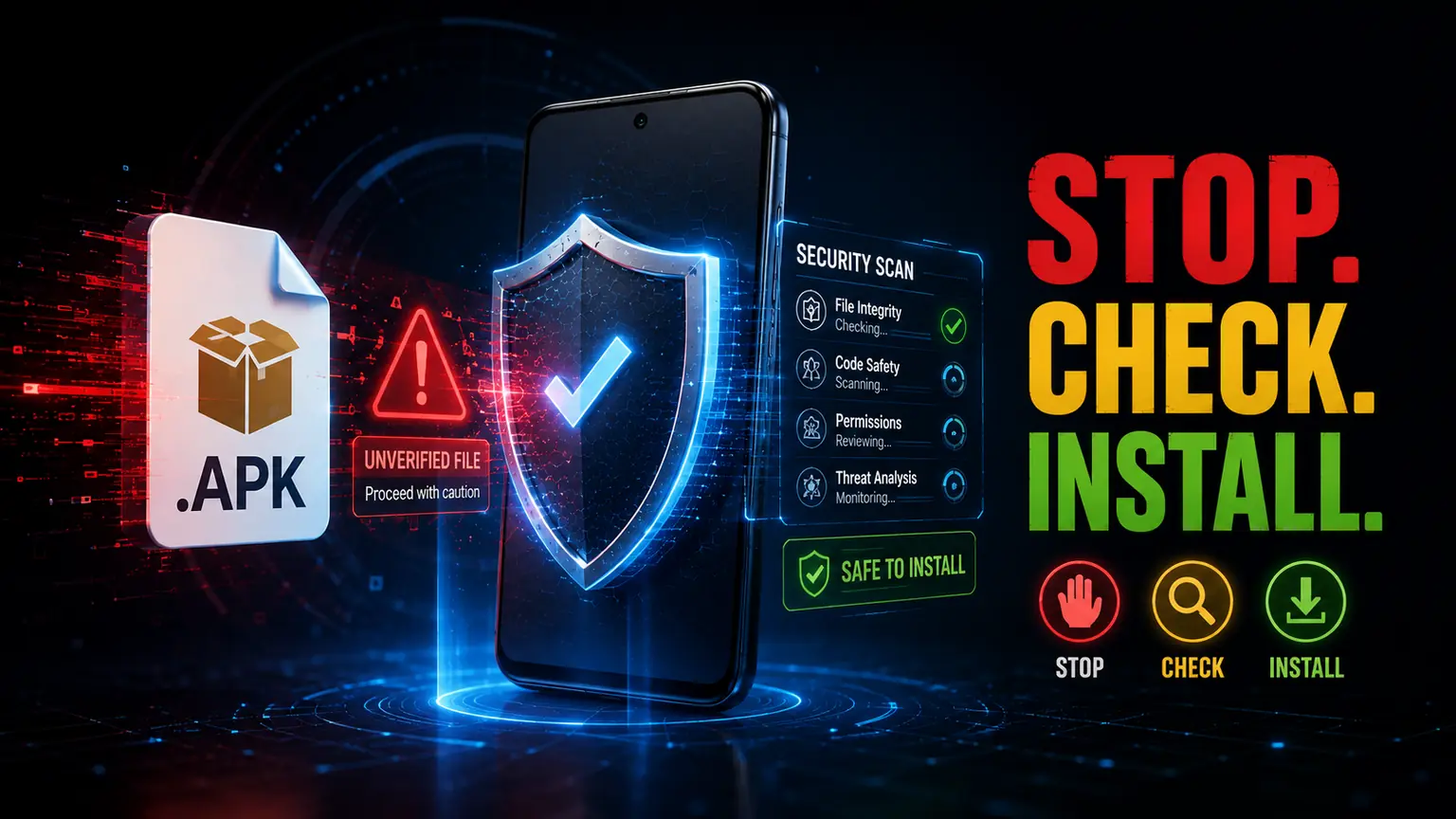
Understanding how APK-related fraud works is useful, but the most important question is what you should actually do when an unfamiliar APK reaches your phone. The following five checks turn the warning signs discussed above into a simple routine you can use before installing an application.
1. Verify Where the APK Came From
The first and most important question to ask before installing an APK is simple: Where did this file come from? A file that arrives unexpectedly through WhatsApp, SMS, email, social media or a random website deserves more attention than an application you deliberately obtained through a trusted and independently verified source.
Do not assume that a message is genuine simply because it uses the name of a bank, courier company, government service, financial organisation or another familiar business. Scammers can copy names, logos, writing styles and messages to make their communication appear legitimate. The APK itself may also be given a familiar-looking name so that the recipient feels comfortable installing it.
If you receive an APK unexpectedly, first ask yourself why you are being asked to install it. Did you request this application? Were you already using a service that requires it? Did the organisation contact you through an official channel? Or did an unknown person suddenly tell you that something urgent will happen unless you install the file?
These questions are especially important when the message involves money, KYC, account verification, delivery problems, refunds, penalties or government services. A genuine problem should normally be verifiable through the organisation's official website, known application or independently obtained customer-service details.
2. Check the App and Developer Before Installing
Once you are reasonably satisfied with where an APK came from, the next step is to look closely at the application itself. The name, icon and description may appear convincing, but these details should be considered together rather than treated as proof that the application is genuine.
Scammers can deliberately choose names that resemble legitimate applications or services. A small difference in spelling, an unfamiliar developer name or a description that does not match the service you were expecting can provide an important clue. The purpose of this check is not to reject every unfamiliar application, but to notice inconsistencies before giving the software access to your device.
3. Examine the Permissions Before Installing
An application may need access to certain parts of your phone to provide its intended features, so seeing a permission request does not automatically mean that the app is unsafe. A camera application may reasonably need the camera, a navigation application may need location access, and a messaging application may require access to functions related to communication. The important question is whether the access requested by the application makes sense for what it is supposed to do.
This becomes especially important when an APK comes from an unfamiliar source. If the application is presented as a simple tool for checking a document, tracking a delivery or completing a basic verification process, but it asks for access to sensitive information that appears unrelated to that purpose, take a step back before continuing.
4. Pay Attention to Android Security Warnings and Play Protect
Android includes built-in security features that can help identify potentially harmful applications, including apps obtained from sources outside the usual Google Play installation process. One of the most important protections is Google Play Protect, which checks applications and can warn users when it detects behaviour or software that may be harmful.
This protection is useful because users cannot always determine what is happening inside an application simply by looking at its name, icon or installation screen. A security warning can provide an additional reason to stop and investigate instead of continuing automatically.
5. Think Before You Log In, Pay or Share Sensitive Information
Installing an APK does not necessarily mean that the fraud ends at the installation screen. In many cases, the application can become one part of a larger attempt to obtain information or convince the user to take a financial action. This is why you should pay attention not only to the permissions requested by an application, but also to what it asks you to do after you open it.
Be particularly careful if an unfamiliar application suddenly asks for your banking details, card information, UPI credentials, passwords, OTPs, Aadhaar-related information or other sensitive personal details. The request may appear to be part of a verification process, but an urgent instruction inside an unfamiliar application should never be accepted simply because the screen looks professional.
What to Do If You Already Installed a Suspicious APK
Realising that an APK may not be trustworthy can be unsettling, but the most important thing is to avoid panic and stop giving the application additional opportunities to access information or influence your decisions. Installing a suspicious APK does not automatically mean that your accounts or money have been compromised, but it is a reason to review what happened and take sensible protective steps.
The right response can depend on what you installed, what permissions you granted, what information you entered and whether any financial transaction has already taken place. A person who only downloaded a file is in a different situation from someone who installed the application, granted sensitive permissions and entered banking credentials. Understanding that difference helps you take proportionate action rather than assuming the worst. If the installation was connected to an unexpected message, payment demand or suspicious caller, treat the incident as potential APK File Fraud and review the wider situation rather than focusing only on the application.
Key Takeaways
- APK files are a legitimate part of the Android ecosystem, so the .apk extension alone should never be treated as proof that a file is malicious.
- If an APK arrives unexpectedly through a message, phone call, social media platform or unfamiliar website, take a moment to verify why it has been sent to you.
- Before installation, check the source, developer and application identity, consider whether the requested permissions match the application's purpose, and pay attention to Android security warnings.
- Remember that the risk may continue after installation. An unfamiliar application may ask for passwords, OTPs, UPI PINs, banking information or identity documents, and these requests should be independently verified before you provide anything sensitive.
Frequently Asked Questions
An APK, or Android Package, is a file format used to package an Android application for installation. It can contain the application code, resources, configuration information and other components required for the software to run on a compatible Android device.
Some APK files can be legitimate, but you should not assume that every APK is safe simply because it installs successfully. The safety of a particular APK depends on factors such as where it came from, who developed the application, whether the package has been modified and what the application requests after installation.
A malicious application may create risks involving sensitive information, depending on what access it receives and how it is designed. The risk can become more serious if the application is used to collect credentials, display deceptive login screens, request sensitive permissions or convince the user to provide banking or payment information.
There is no single visual sign that can prove an APK is genuine. Start by checking where the file came from, who developed the application and whether the application actually belongs to the organisation it claims to represent.
An APK sent unexpectedly through WhatsApp should be treated with caution, particularly when the sender claims that you must install it to complete KYC, check a loan, track a delivery, receive a reward or resolve an account problem.
Stop interacting with the application and avoid following further instructions from the person who sent it. Review the application's permissions and consider uninstalling it if there is no legitimate reason to keep it installed.
No. An APK obtained outside Google Play is not automatically malicious, because there are legitimate situations in which applications may be distributed directly as APK packages. However, downloading outside the normal app-distribution route can require greater attention from the user because the source and application need to be independently evaluated.
Continue Your DivyalVision Technology Journey
Building better digital habits starts with understanding how the technology you use every day can affect your privacy, security and personal information. APK files are only one part of the wider Android safety picture, and learning how applications collect information, make decisions and interact with your device can help you make more informed choices before trusting unfamiliar software.
- 📖 Life Beyond the Screen: How Future Technology Will Redefine Human Reality – Explore how emerging technologies may change the way people interact with devices, digital systems and the world around them. Read the article
- 📖 Why Every Click Leaves a Digital Shadow You Never See – Understand how everyday online activity can leave behind digital traces and why awareness of your digital footprint matters when using modern technology. Read the article
- 📖 The Invisible Technology That Controls More of Your Life Than You Realize – Discover how technology quietly influences everyday activities and why understanding the systems behind the screen can help you make more informed digital decisions. Read the article
- 📖 When Technology Starts Making Decisions: Are Humans Losing the Final Say? – Examine the growing role of automated technology in everyday decisions and consider why human awareness and responsibility still matter. Read the article
- 📖 7 Smart Ways to Spot a Fake Android App Before Installing It – Learn seven practical checks to evaluate an unfamiliar Android app before installation, including the developer, app identity, reviews, download history, permissions, installation source and requests for sensitive information. Read the article
Stay Safe From APK File Fraud
An APK file is not automatically a threat, but an APK received in the wrong circumstances can become part of a serious fraud attempt. That distinction is worth remembering because it allows you to stay cautious without treating every Android package as dangerous.
The most useful habit is to slow down before installing anything that you did not deliberately seek out. Check where the file came from, verify the application and developer, consider whether its permissions match its purpose, pay attention to Android security warnings and be especially careful if the application asks for money, passwords, OTPs or sensitive personal information.
The experience shared in this article also shows why the APK itself may not be the first warning sign. An unexpected financial claim, unexplained transaction, pressure from an unknown caller and a demand to install an APK can form part of the same wider attempt to influence your decision. When several such signs appear together, there is no good reason to allow urgency to decide for you.
Technology should make everyday life easier, but that convenience should not come at the cost of giving unknown software unnecessary access to your phone or personal information. Before you tap Install, take a moment to understand what you are installing, who is behind it and why you are being asked to install it.
A few minutes of verification can be far more valuable than trying to deal with the consequences of a decision made under pressure. The best defence against APK File Fraud is not technical expertise alone, but the habit of stopping, checking and verifying before you install.